837 Intake & Adjudication Operations Runbook
Monitor the asynchronous claims path, distinguish intake pressure from consumer pressure, recover failed deliveries without corrupting claim state, and prove the pipeline is healthy again.
This runbook is for platform and claims operations teams responsible for the path from accepted raw X12 837 files through persisted adjudication. For the end-user workflow, start with Submit & Follow an 837.
Understand the Operational Flow
Intake and adjudication are separate capacity domains. The raw-file endpoint parses and submits claims concurrently; each accepted claim is persisted and emits a submitted event. Service Bus then delivers that event to an adjudication consumer.
| Boundary | Primary control | Failure signal |
|---|---|---|
| Raw 837 parsing and submission | ClaimsImport__Raw837MaxConcurrency | Slow upload response, parser errors, submission failures, or rapidly growing accepted-but-not-finished counts. |
| Service Bus delivery | Topic, subscription, filter, lock, and delivery-count configuration | Active-message growth, repeated deliveries, dead letters, throttling, or authorization failures. |
| Adjudication consumers | Claims-service replicas × Messaging__AdjudicationMaxConcurrentCalls | Backlog growth while pods are healthy, high downstream latency, CPU pressure, or database contention. |
| Persistence and dependencies | MongoDB capacity plus member, provider, coverage, and benefit-plan health | Stage-specific latency, version conflicts, timeouts, or messages repeatedly abandoned. |
Know the Expected Baseline
The canonical topic is claim-version-events. The adjudication-orchestrator subscription filters for MessageType=ClaimVersionSubmitted. Provisioning sets a 14-day message TTL, five-minute lock, maximum delivery count of 10, dead-lettering on expiration and filter exceptions, and one-hour duplicate detection on the topic.
Every submission writes the append-only claim event first, then sends the Service Bus trigger. A Service Bus send failure does not erase the accepted claim or its audit record. Every adjudication run writes the final projection and emits an adjudicated event independently.
Submitted and adjudicated messages use deterministic message IDs. If Service Bus redelivers an already-adjudicated claim, the orchestrator recognizes the persisted result and completes the message without running the pipeline again.
Monitor the Pipeline
1. Confirm the active messaging backend
At startup, claims-service records whether it selected Service Bus or the local in-memory fallback. Confirm this before interpreting queue metrics.
kubectl logs -n cloudhealthoffice \
  -l app=claims-service --all-containers --prefix --tail=200 |
  rg 'IMessageBus='
2. Inspect deployment capacity
kubectl get deployment claims-service -n cloudhealthoffice

kubectl get configmap claims-service-config \
  -n cloudhealthoffice \
  -o jsonpath='{.data.Messaging__AdjudicationMaxConcurrentCalls}'
Effective maximum handler concurrency is approximately replicas multiplied by maximum concurrent calls. It is a ceiling, not a throughput promise: downstream services and the database still determine sustainable completion rate.
3. Inspect the Service Bus subscription
az servicebus topic subscription show \
  --resource-group "$RESOURCE_GROUP" \
  --namespace-name "$SERVICEBUS_NAMESPACE" \
  --topic-name claim-version-events \
  --name adjudication-orchestrator \
  --query '{
    active:countDetails.activeMessageCount,
    deadLetter:countDetails.deadLetterMessageCount,
    maxDelivery:maxDeliveryCount,
    lockDuration:lockDuration
  }'
Track Active Messages, Dead-lettered Messages, Incoming Messages, Outgoing Messages, Server Errors, and Throttled Requests together. Queue depth without arrival and completion rates is not enough to distinguish a brief burst from a sustained bottleneck.
Diagnose a Submitted or Slow Claim
- Confirm acceptance. The raw 837 response must contain a successful result and claim ID. Parser rejection is an intake problem, not a Service Bus problem.
- Read the persisted claim. A claim that remains
Submittedhas not reached a later persisted disposition. A pended, approved, or denied claim has completed adjudication even if another observation tool has not caught up. - Find the claim in logs. Search all claims-service pods for the claim ID and look for submission, delivery number, stage outcomes, persistence, and examiner-resolution messages.
- Check queue depth and delivery count. A growing active count suggests insufficient consumption. Repeated delivery numbers suggest a deterministic handler failure or unavailable dependency.
- Identify the slow stage. Scrubbing, provider integrity, network credentialing, benefit calculation, NCCI, COB, optional AI, and persistence have distinct dependencies and telemetry.
- Check MongoDB last. If multiple stages and services slow together, inspect database CPU, memory, connections, locks, storage latency, and version-conflict logs before adding more consumers.
CLAIM_ID='<claim-id>'

kubectl logs -n cloudhealthoffice \
  -l app=claims-service --all-containers --prefix --since=30m |
  rg -C 3 "$CLAIM_ID"
Handle Retries and Dead Letters
If a handler throws before completing the message, Service Bus abandons it and redelivers it. After 10 deliveries, the message moves to the subscription dead-letter queue. A persistence failure is retriable; an already-persisted adjudication is safe on redelivery.
| Condition | Operator response |
|---|---|
| One transient redelivery | Observe. Confirm the next delivery completes and the claim reaches a persisted disposition. |
| Repeated delivery with the same stage failure | Stop scaling changes, identify the deterministic dependency or data error, and correct the cause before delivery 10. |
| Message in the DLQ | Inspect message properties, claim ID, tenant ID, delivery count, and dead-letter reason using Azure Service Bus Explorer. Preserve evidence before replay. |
| Accepted claim but no submitted message | Use the append-only claim event as evidence, restore the transport, and use a controlled replay procedure. Do not fabricate a new claim or force its status. |
| Duplicate or operator retry | Rely on deterministic message IDs and persisted-result checks. Avoid changing message identity merely to bypass duplicate detection. |
Replaying a DLQ message while the same dependency is failing consumes delivery attempts again. Reusing the same message ID inside the one-hour duplicate-detection window may also be suppressed. Record the original message and recovery decision in the incident timeline.
Scale Consumers Safely
Scale one dimension at a time and observe sustained completion rate, p95/p99 stage latency, error rate, database behavior, and Service Bus backlog. More parallelism can reduce throughput when consumers saturate MongoDB or a shared downstream service.
| Change | Use when | Watch for |
|---|---|---|
| Increase claims-service replicas | Existing pods are CPU-bound or a wider pool improves downstream overlap. | Connection growth, cache cold starts, Mongo contention, and uneven message distribution. |
| Increase concurrent calls per replica | Pods have headroom and handlers spend significant time awaiting healthy dependencies. | Memory growth, timeouts, lock pressure, and higher tail latency. |
| Increase raw 837 import concurrency | Parsing/submission is the measured bottleneck. | A faster producer can hide consumer saturation by growing the Service Bus backlog. |
| Increase MongoDB resources | Database metrics and claim-stage traces identify the data layer as the bottleneck. | Storage latency, working-set fit, connection limits, and whether the change improves completion rather than only submission. |
For repeatable experiments, record replicas, concurrent calls, claim count, database configuration, arrival rate, completion rate, p95/p99 latency, retries, dead letters, and the time when the final claim settled.
Separate MCC and Production Postures
| Setting | Million Claim Challenge | Production or controlled demo |
|---|---|---|
| Tenant and data | Isolated synthetic fixture and deterministic answer key | Tenant policy, protected data controls, and production audit requirements |
| AI examiner | Disabled, zero replicas by default | Explicit BestEffort opt-in where approved; metered usage monitored |
| Concurrency | Recorded benchmark variable with automatic restoration | Change-controlled setting based on capacity and service-level objectives |
| Success criterion | Eventual completion, scoring accuracy, payment agreement, and zero unexplained dead letters | Timeliness, correctness, queue age, audit completeness, and safe recovery |
The local deployment uses the in-memory bus unless all local Service Bus settings are supplied. When Service Bus is configured, bootstrap provisions least-privilege Send/Listen access and installs the Kubernetes connection secret. Always confirm the backend before presenting a run as asynchronous Service Bus evidence.
Incident Response Checklist
- Record UTC start time, tenant, affected claim IDs, release version, and current configuration.
- Measure accepted, active, completed, retried, and dead-lettered counts. Do not rely on submission rate alone.
- Confirm claims-service pod health and the selected messaging backend.
- Inspect Service Bus subscription depth, errors, throttling, and DLQ state.
- Trace representative claims through stage logs and downstream dependencies.
- Freeze concurrency changes if error rate or tail latency is rising.
- Correct the underlying service, configuration, data, or capacity issue.
- Replay only the affected messages using an approved, auditable procedure.
- Verify persisted claim states, queue drain, retry stabilization, and zero unexplained DLQ messages.
- Restore temporary benchmark or diagnostic settings and document the final state.
Verify Recovery End to End
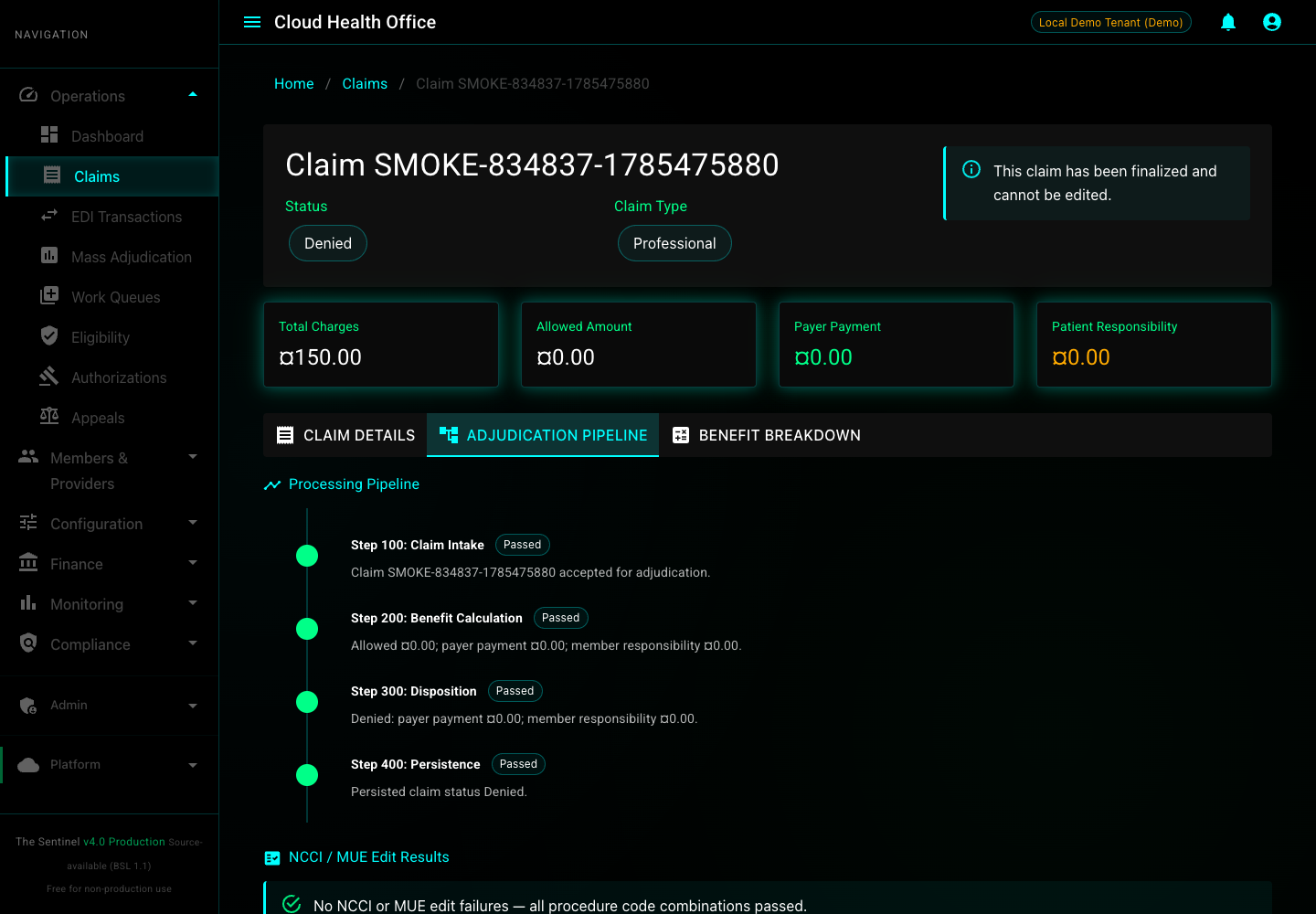
Recovery is complete only when a new raw 837 and the previously affected work both settle correctly. Run the standard tutorial for a clean claim and the strict pended-claim smoke test for the human-review path.
scripts/smoke/834-to-837-e2e-smoke.sh
scripts/smoke/837-pended-claim-e2e-smoke.sh- Confirm the raw 837 response contains a successful claim ID.
- Confirm Service Bus logs show delivery to the adjudication orchestrator.
- Confirm the claim leaves
Submittedand persists the expected terminal or pended state. - Confirm resolved pends leave the examiner queue with
versionState=Adjudicated. - Confirm Active Messages return to baseline and the DLQ contains no unexplained messages.
- Confirm temporary replica, concurrency, database, and AI settings were restored.